Follow one visit across the customer and service team. Use this walkthrough to decide which parts of your own arrival process you would like to explore in a demo.
Actual application screens with synthetic demo data. Product screens are shown in English; captions are available in all three languages. This walkthrough uses still captures of the working interface.
The customer starts with the service they need and an available appointment. Your team defines service availability and capacity. The booking confirmation explains the next step; email delivery requires configured notifications.
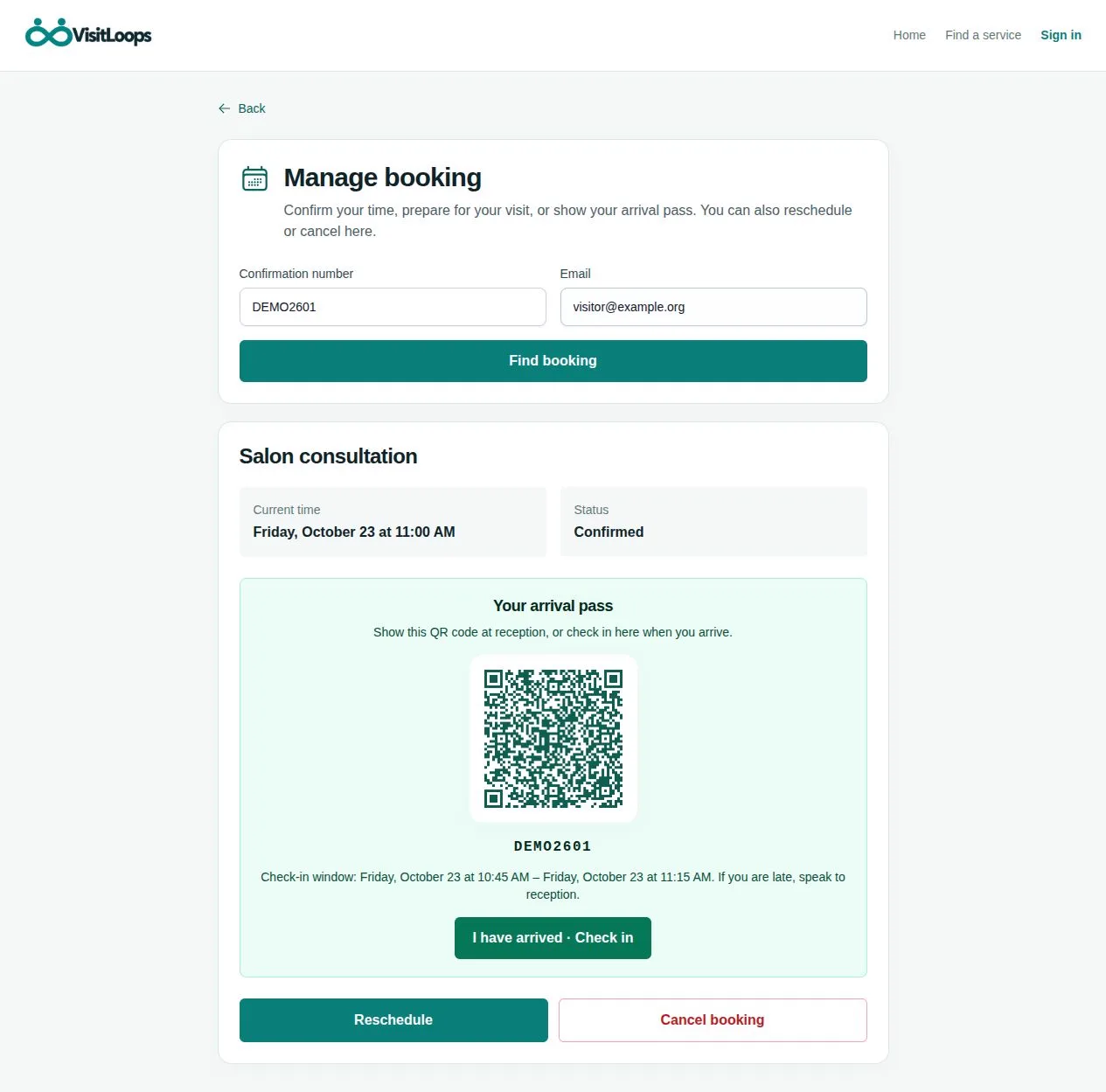
02 · Manage the booking
The booking-management flow lets customers retrieve their booking and review available changes. Rescheduling must respect the service’s actual availability. A cancellation should free the reserved place rather than leave a duplicate booking behind.
03 · Check in on arrival
Arrival is a separate step from booking. Staff can validate a booking’s arrival code and check the visitor in. Review the assisted path, early or late arrival rules and how repeated check-ins are handled in your location’s demo.
04 · Coordinate the next service
The team follows the service workflow and the customer’s queue status. Role-specific steps help clarify who acts next. Bring one real scenario to the demo so we can review required forms, documents, handoffs and exceptions with you.
Bring your busiest day. We’ll explore the flow.
Tell us how your team works today. Request a demo around your services, arrivals, and existing devices. No purchase commitment.